Walkthrough and tips
Fish Quest Guide
Land more fish by treating the tension meter as your main control. Cast far enough, reel in bursts, pause before danger, and buy upgrades that make catches reliable.
What This Guide Is Based On
This guide combines hands-on notes from the embedded Fish Quest WebGL build, local screenshots captured from public distributor preview media, and source checks against public game pages. OzGames identifies the game as Fish Quest and describes line tension plus a striking pin. Cheat or Repeat highlights the cast, reel, upgrade, and challenge-fish loop. TopGames describes the browser/WebGL context, backup access, and bigger fish pressure. Those references help confirm the game surface; the tactical advice below is written for players actually trying to land more catches.
- Observed build: Unity WebGL, product name Fish Quest, build/version tracked locally as 26051503.
- Known distribution chain: OzGames / Ofree-hosted WebGL build with playable embeds on game portals.
- Core mechanics verified by play surface: cast, hook, reel, tension management, upgrades, bigger fish pressure.
- Asset basis: local screenshots and short video are derived from public distributor media and used for gameplay identification and guide context.
- Reference pages: OzGames, ZapGames, Cheat or Repeat, and TopGames.
How to Play Fish Quest
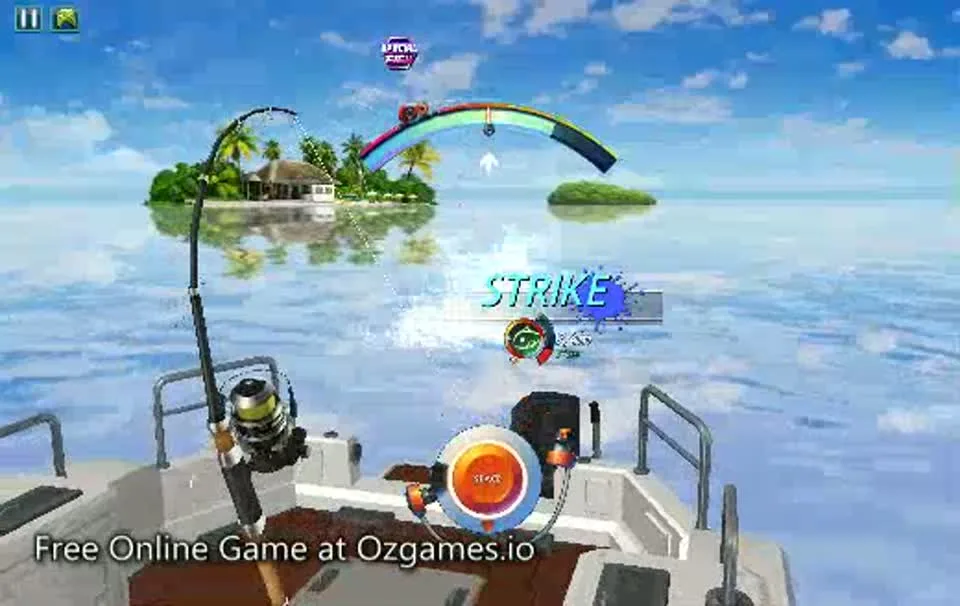
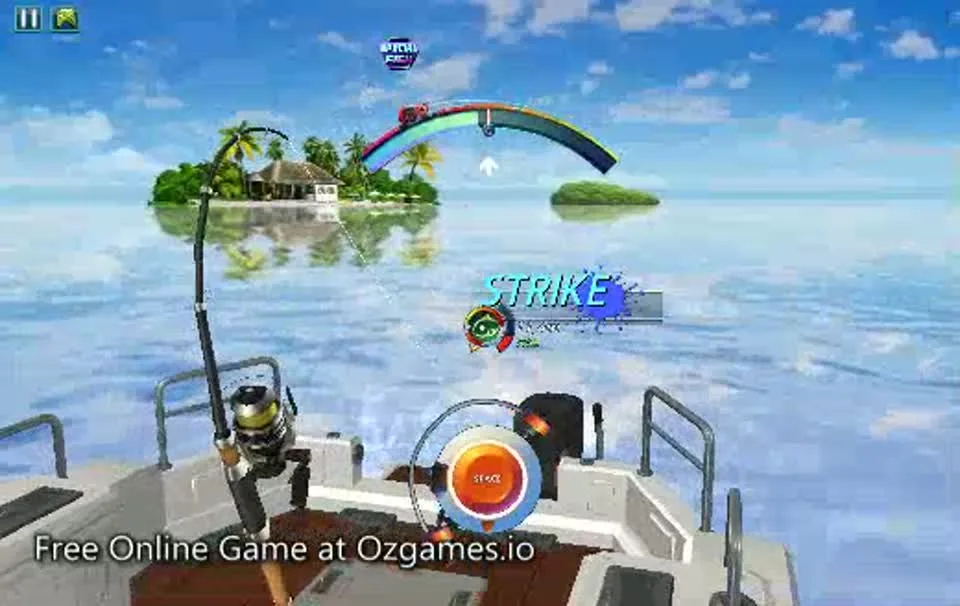
Start by casting your line and waiting for a bite. Once a fish is hooked, reel in with controlled pressure instead of holding the input without thinking. Watch the tension meter like a warning light. When it rises quickly, stop reeling for a moment and let the line settle. When it drops, resume with short pulls. That rhythm is the difference between a clean catch and a broken line.
The game is best understood as a pressure-management loop rather than a simple clicker. A beginner often loses fish because the first visible progress feels rewarding, so they keep pulling. Fish Quest teaches the opposite lesson: progress only matters if the line survives. Your goal is to make every fight boringly stable before you start chasing longer casts, boss fish, or higher-value catches.
Gameplay Cues to Watch
How to Cast Farther
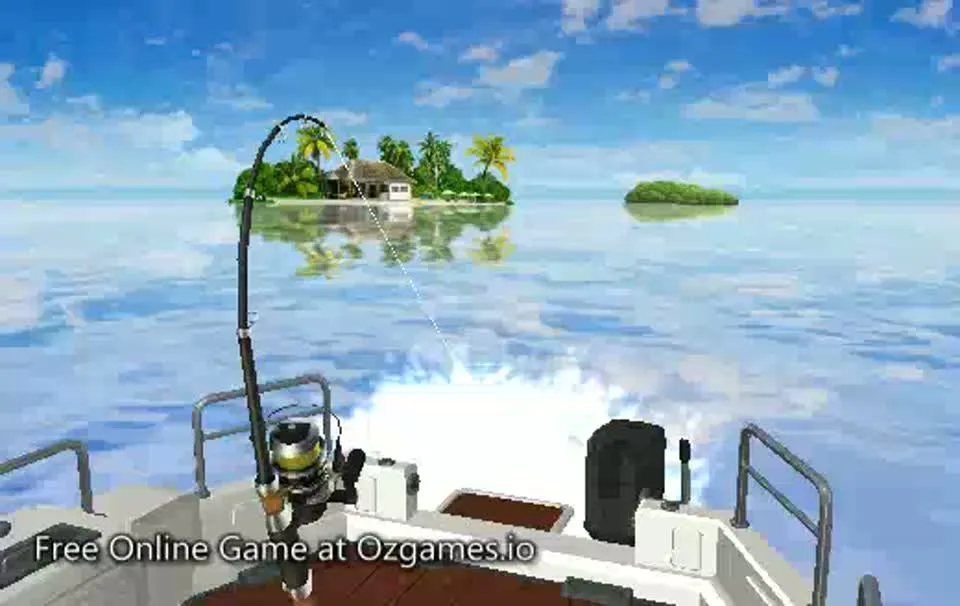
For longer casts, do not tap the cast input instantly. Hold it long enough to build throw power, then release cleanly. A rushed cast often drops your line too close, which can limit the quality of the catch and make early runs feel slower. If the build you are playing shows a power cue, use that visual timing. If it does not, practice a consistent hold-and-release rhythm until your casts land farther out.
Think of casting as your first filter. A short cast can still teach the reeling rhythm, but it rarely feels like the most efficient route once you understand the fight. A longer cast gives you more room to hook better targets, but it also exposes weak gear. If every long cast ends in a broken line, shorten the cast for a few runs, earn safer coins, then upgrade before pushing distance again.
How to Keep Tension Low
The safest pattern is reel, pause, reel, pause. When the fish pulls hard, the tension meter climbs. If you keep reeling through that climb, the line can snap. Instead, treat the meter as permission to pull. Low or stable tension means you can gain progress. Fast-rising tension means you should stop and wait. Bigger fish are often slower fights, so do not panic when the progress feels less dramatic.
A useful habit is to watch the speed of the meter, not only its current position. If the meter is low but climbing very fast, you are about to enter danger. If it is mid-range but falling, you can prepare to reel again. This is why short bursts beat long holds: bursts let you test the fish pressure without committing to a full mistake.
Best Early Upgrades
- Line strength: protects you from losing catches when tension spikes.
- Reel control: helps you make progress without overloading the line.
- Rod power: makes stronger fish less punishing once your basics are stable.
- Income upgrades: become better after you can land fish reliably.
Early money should make the game more consistent. A pure income upgrade looks tempting, but it does not help if bigger fish keep escaping. Build reliability first, then scale earnings once your catch rate improves.
For the first upgrade cycle, judge every purchase by one question: does this help me finish more fights? Line strength gives you more room for mistakes. Reel control helps you gain progress without spiking pressure as sharply. Rod power can make harder fish feel less stubborn, but it is less useful if the line cannot survive. Income upgrades are strongest after your catch rate is already dependable.
Why Your Line Breaks
Your line usually breaks because the tension meter spends too long near the danger zone. This can happen when you hold reel during a fish pull, chase progress too aggressively, or try difficult catches before upgrading line strength. If you lose several catches in a row, slow down your reeling tempo. A slightly longer fight is still better than earning nothing.
The most common beginner mistake is treating a fish pull as something to overpower. In Fish Quest, a hard pull is usually a signal to stop. If the fish surges, release pressure and let the line recover. When the meter calms down, resume with short controlled pulls. This pattern feels conservative, but it is exactly how you turn big catches from lucky wins into repeatable wins.
When to Stop Reeling
Stop reeling before the fight looks completely out of control. The strongest signal is not only a high meter; it is a meter that is climbing faster than your catch progress. When pressure rises quickly, release the input, let the fish pull against slack for a moment, then restart with a shorter burst. Many lost catches happen because the player reacts only after the meter is already dangerous. Good Fish Quest play feels one beat earlier than panic: pause as the warning begins, not after the line is already close to breaking.
Near the end of a fight, this rule matters even more. It is tempting to hold reel because the fish looks close to the boat, but that final push can snap the line if the fish surges. Treat the last few seconds like a boss phase. Pull for progress, pause for safety, then finish only when pressure is under control.
What to Upgrade After Your First Big Fish
After landing your first noticeably bigger fish, do not immediately assume the next goal is maximum distance. Look at how the fight felt. If you barely survived with pressure spiking several times, buy line strength. If tension stayed manageable but the fish took a long time to move, buy reel or rod power. If the fight felt comfortable and you are landing fish consistently, income upgrades become more sensible because you are now multiplying a loop that already works.
A practical early path is to alternate survival and progress: line strength, reel control, line strength again if breaks continue, then rod power once fights are stable but slow. This keeps Fish Quest from turning into a frustrating run of hooked fish that never become rewards.
How to Catch Bigger Fish
Bigger catches reward patience. Cast farther, avoid panic reeling, and let the fight breathe when the fish pulls away. Gear matters too. If your line is weak, a big fish can turn into a coin sink because you waste time hooking targets you cannot land. Upgrade until the fight feels controllable, then push into longer casts and harder catches.
Boss fish or challenge fish should be treated like a gear check plus a rhythm check. If you can keep tension stable but the fish still takes too long, you probably need more rod or reel power. If the fish breaks you quickly, line strength is the bottleneck. If you cannot tell which one is happening, record the fight in your head: did the meter spike, did progress stall, or did both happen?
Short Gameplay Reference
The short clip above is cut from public distributor preview media and hosted locally. Use it as a visual reference for the basic flow: the cast lands, the fish movement begins, and the player needs to react to pressure rather than simply holding reel.
Source note: public Fish Quest distributor media, transformed into a short local clip for guide context.
Is There a Rare Fish List?
Fish Quest does not currently have a widely verified public rare fish list that is reliable enough to treat as a fixed encyclopedia. Treat rare catches as a progression target: better casts, stronger gear, and calmer tension control give you more chances to see higher-value fish. Once reliable data appears, this guide should add a proper fish table with names, values, and catch conditions.
Mobile Controls
Mobile play can work, but the Unity interface is easier to read on a wider screen. If you play on a phone, rotate into landscape mode and keep the game frame focused. Short taps and releases are safer than covering the screen with a long press that hides the meter. If the browser starts scrolling the page instead of controlling the game, tap inside the game frame again.
Chromebook Performance Tips
Fish Quest should run on most modern Chromebooks, but Unity WebGL can stutter when memory is tight. Close extra tabs, disable heavy extensions for the page, and keep hardware acceleration enabled in Chrome settings. If the game frame stays black on a school network, try the Fish Quest Unblocked page or open the current source in a new tab from the play page.
Loading Fixes
- Refresh once if the Unity WebGL loader stalls.
- Switch between Direct and Backup sources on the play page.
- Disable aggressive ad blockers for the game frame if it stays blank.
- Use a desktop browser with hardware acceleration enabled when possible.
- Try the Fish Quest loading fix page for deeper troubleshooting.
Current Build Notes
Current observed WebGL build: 26051503. Guide advice can change if the publisher updates controls, upgrade costs, or fish behavior. See the Fish Quest version history page for build tracking and the fish list tracker for verified catch data.
Release, Technology, and Platform Notes
Fish Quest is currently presented through browser game portals rather than a major Steam or app-store listing for this exact WebGL version. The playable build behaves like a Unity WebGL game and is distributed through the OzGames/Ofree chain. That matters for players because WebGL games can be sensitive to browser settings, ad blockers, school filters, hardware acceleration, and third-party iframe rules. It also means the best place to solve loading problems is the browser environment, not a separate installer.
Known platform advice is simple: desktop Chrome or Edge usually gives the clearest experience, Chromebooks can work if WebGL and hardware acceleration are allowed, and phones are possible but less comfortable because the tension meter and upgrade UI are easier to read on a wider screen. If you are on a restricted network, use the direct play page first, then try backup or new-tab options if the frame is blocked.
Fish Quest Wiki Path
If you are building mastery rather than just trying the game once, use the wiki pages in order. Start with controls, then study the tension meter, then follow the best gear upgrade path before attempting boss fish. The rare fish and fish list pages should be treated as trackers until more verified catch data is available.
Fish Quest Guide FAQ
What is the safest reeling rhythm?
Use short pulls and pause when the tension meter rises. Do not hold reel through every fish movement.
Should I buy income upgrades first?
Usually no. Line and reel upgrades help you land fish more reliably, which makes income upgrades more valuable later.
Can I force rare fish to appear?
There is no confirmed forced method. Better casts and stronger gear give you more chances at better catches.
Is Fish Quest better on desktop?
Yes. Desktop and Chromebook screens make the tension meter and upgrade UI easier to read.
What should I do after losing a big fish?
Upgrade line strength if possible, then slow your reeling tempo on the next attempt.
Last updated: May 2026